Why Claude Code, Cursor & CLI Tools Ignore Your System Proxy (and How Native TUN Fixes 403s)
Key Takeaway: Desktop 'System Proxy' settings only guide browsers; CLI runtimes (Claude Code, Node.js, Python, Git) bypass them by default and leak direct local connections or polluted DNS queries. Verify your CLI egress via 'curl -sL https://ipdu.app/json' and use a native Layer-3 TUN client to capture terminal traffic transparently.
1. Why Browser Access Works While Terminal Commands Hit 403
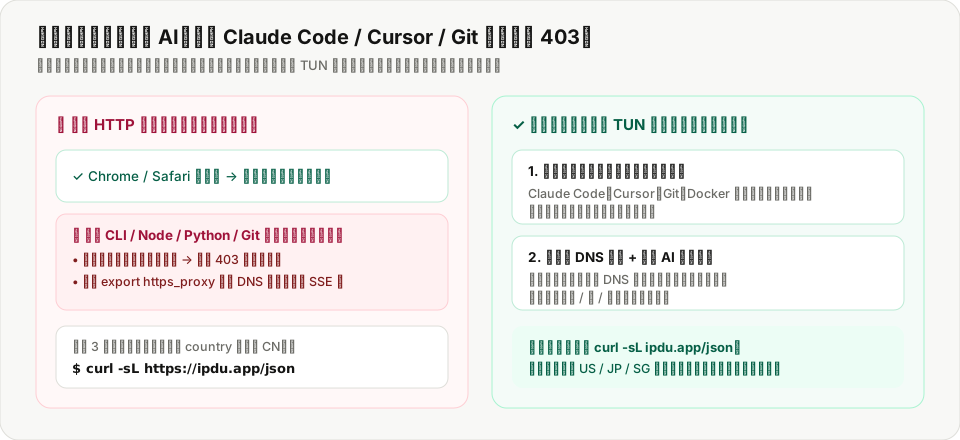
Command-line HTTP clients ignore desktop GUI proxy preferences unless explicitly wrapped at the OS network interface layer.
2. Test With curl & Enable Native TUN Capture
Run 'curl -sL https://ipdu.app/json' in your terminal to inspect your true CLI egress country and risk score, then switch to ZebraLink's native macOS/Windows TUN client pinned to US, Japan, or Singapore.
Actionable Check: 1) Confirm non-HK low-risk egress on IPDu; 2) Need clean US/JP/SG AI routing with native TUN? Test ZebraLink (4h free trial) ↗; 3) Copy 0%-tax US billing ZIPs on HelloPost ↗.
Related Guides
- How to Spot 'Fake Dual-ISP' Residential Proxies in 2026: ASN vs RIR Subnet Verification
- Amazon Seller Central Anti-Association Guide: Why Shared VPNs Trigger Account Reviews
- Why PayPal & Stripe Freeze Cross-Border Accounts: Fixing IP Hops & WebRTC Leaks
- TikTok Shop US & Short-Drama 0-View Troubleshooting: ASN, Timezone & SIM Audit