2026 Illustrated Guide: Create a Tax-Free US or Japan Apple Account Without a Credit Card
Key Takeaway: Apple now uses account.apple.com (Apple Account). Register with a fresh Gmail/Outlook address, 18+ birth date, and SMS verification over a clean US/JP line, sign into the App Store app only (never iCloud), and activate with Oregon 97205 or Tokyo 100-0001.
Step 1: Register at account.apple.com (Plus iOS Fallback Trick)
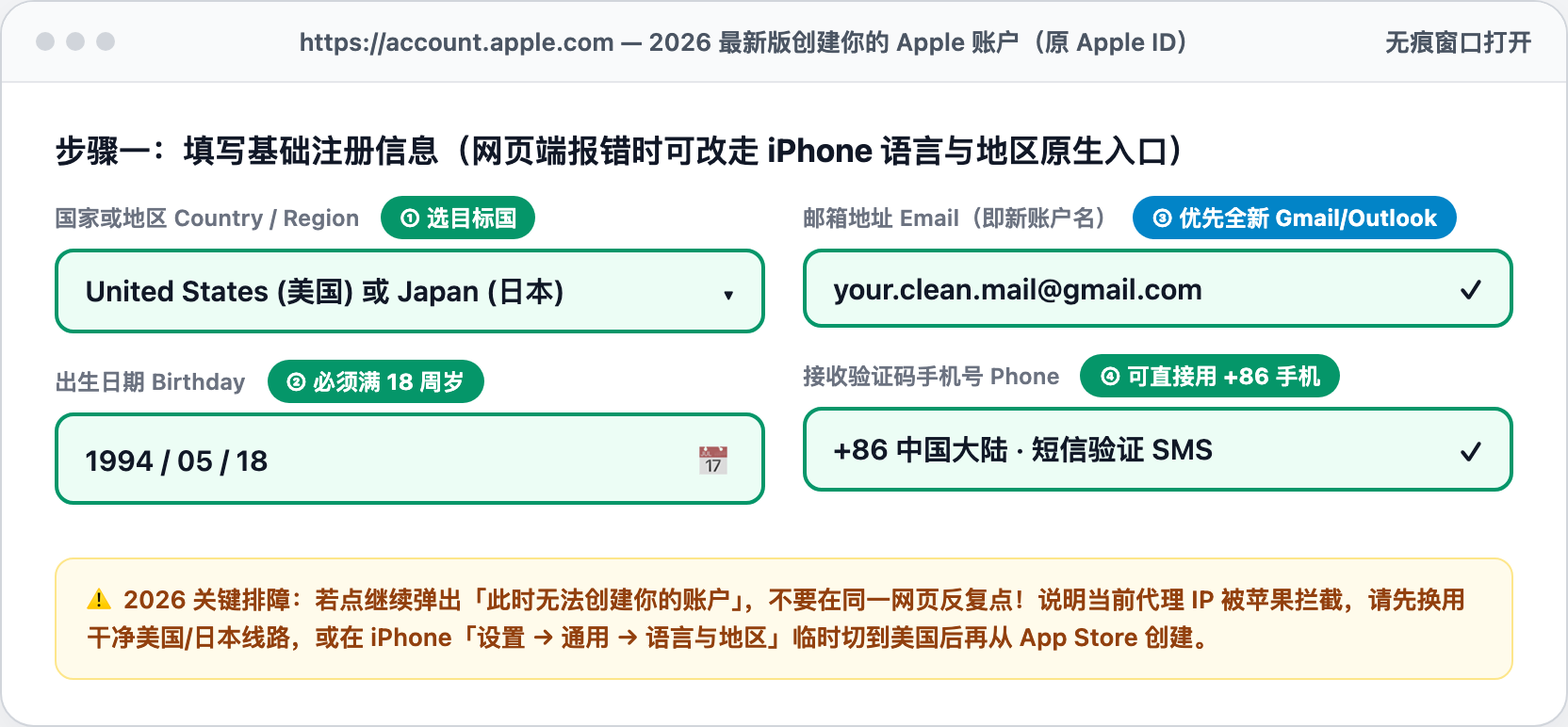
Open an incognito window over a clean US or Japan line at account.apple.com. Use an unused Gmail/Outlook email and set age above 18. If the web form throws 'Your account cannot be created at this time,' switch iPhone Region to United States under Settings > General > Language & Region and create the account inside the App Store app.
Step 2: Sign Into App Store Only — Never System iCloud
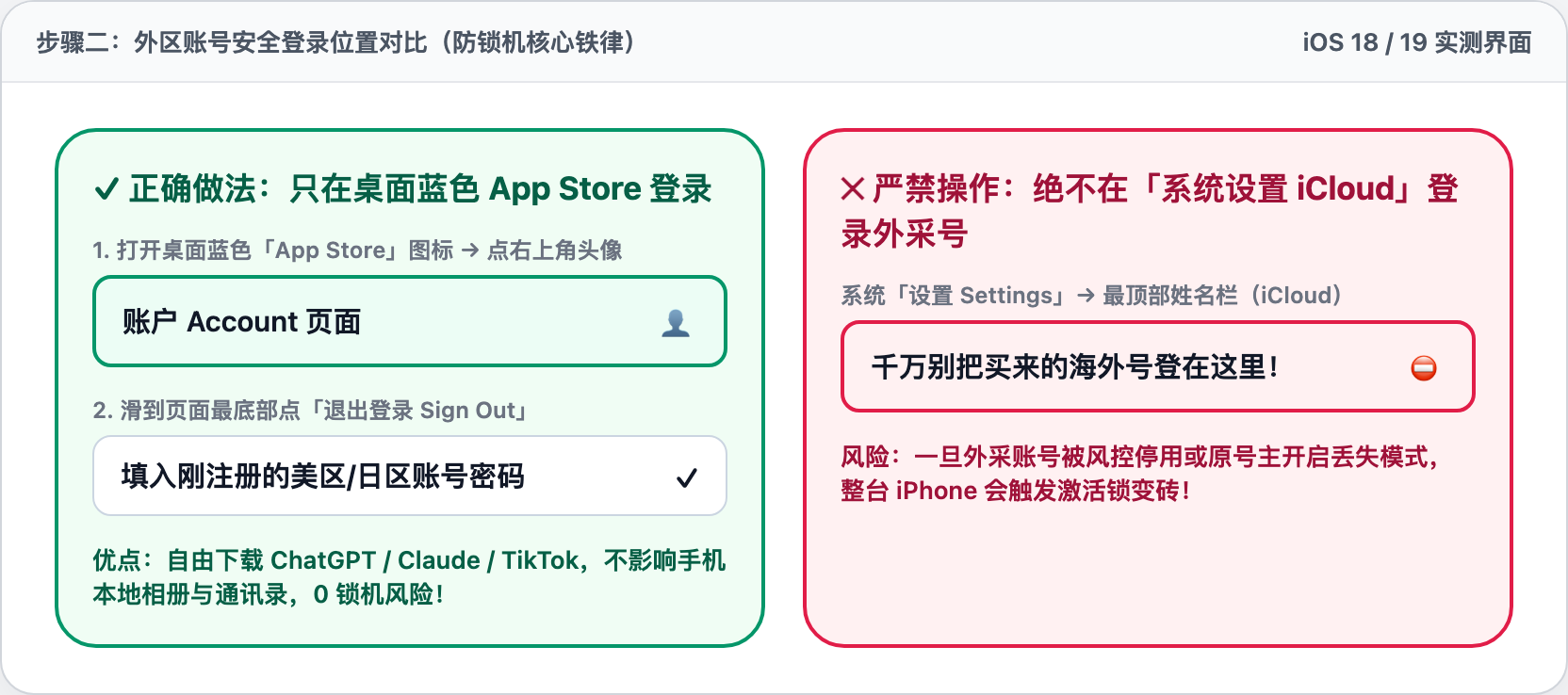
Open the App Store app, tap your profile icon at top-right, scroll to the bottom to Sign Out, and sign into your new regional Apple Account there.
Step 3: US Tax-Free Oregon Billing & Japan Katakana Reference
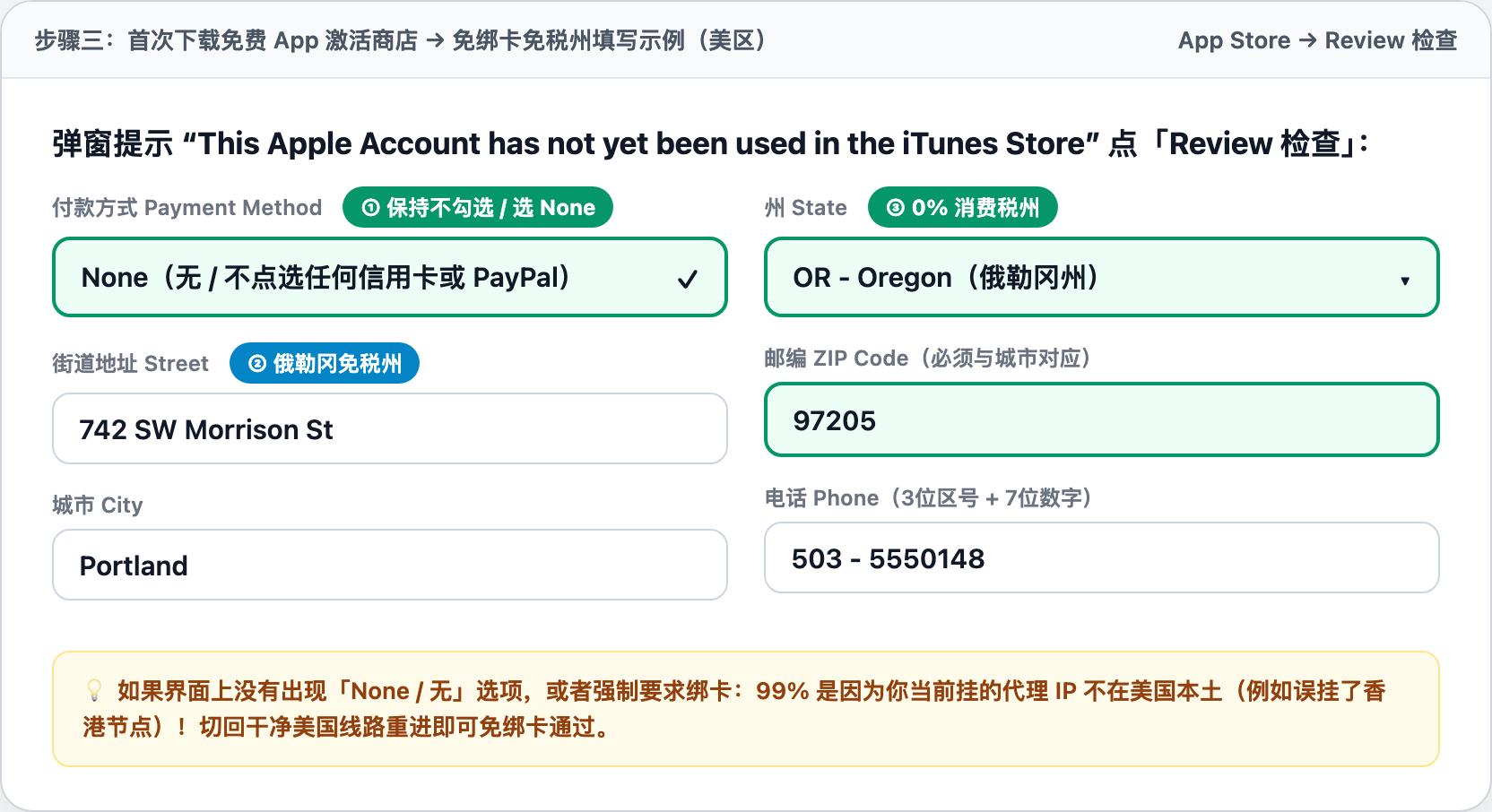
Tap Get on any free app, tap Review, leave Payment unselected (None), and enter Portland, OR 97205 for 0% US sales tax.
Related Utilities: Check Current IP Risk Score · Tax-Free ZIP & Roaming SIM ↗ · Fixed-Region Client Download ↗
Related Guides
- Amazon Seller Central Anti-Association Guide: Why Shared VPNs Trigger Account Reviews
- Why PayPal & Stripe Freeze Cross-Border Accounts: Fixing IP Hops & WebRTC Leaks
- TikTok Shop US & Short-Drama 0-View Troubleshooting: ASN, Timezone & SIM Audit
- Why Meta (Facebook) Ad Accounts & Profiles Lock Instantly Upon Login